Who is GoFundMe Pro? Intro to the Supporter Center
Who is GoFundMe Pro?
GoFundMe Pro builds fundraising software for nonprofit organizations and social enterprises. We give organizations the tools to support and raise funds for their missions.
Whenever you donate to a nonprofit organization that uses GoFundMe Pro, we create a GoFundMe Pro account for you so you can manage your donation. When you log in to GoFundMe Pro for the first time, you'll land on your supporter profile.
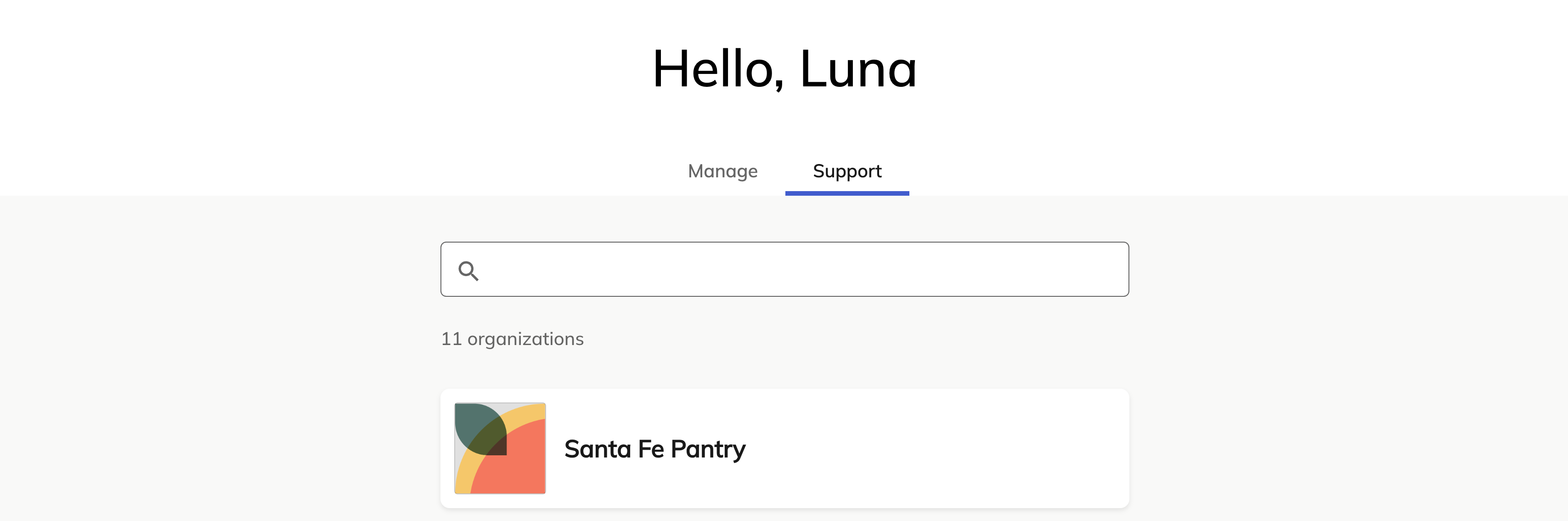
From here, you can select the organization you support to visit their Supporter Center.
Having trouble logging in? Find out how to reset your password.
What is the Supporter Center?
The Supporter Center is the hub for donors, fundraisers, and event attendees of the organization you support, where you can manage your contact information, recurring donations, receipts, and more.
View contribution history and resend receipts
To view the history of your donations or event purchases, select Contribution History in the menu. You can search for any donation, ticket registration, or purchased auction item and select Resend email receipt to automatically send a receipt to the email address in your settings.
Manage recurring donations
You can find your recurring donations on the home page or by selecting Recurring donations in the menu. Then, select Manage donation under the donation you wish to edit.
Under Donation details, you can adjust:
- Donation amount
- Whether to cover transaction fees
- Frequency
- Next donation date
- End date
Change payment method
Under Payment details, select the pencil (edit) icon to update the credit card on file or switch to bank transfer.
Retry a recurring donation
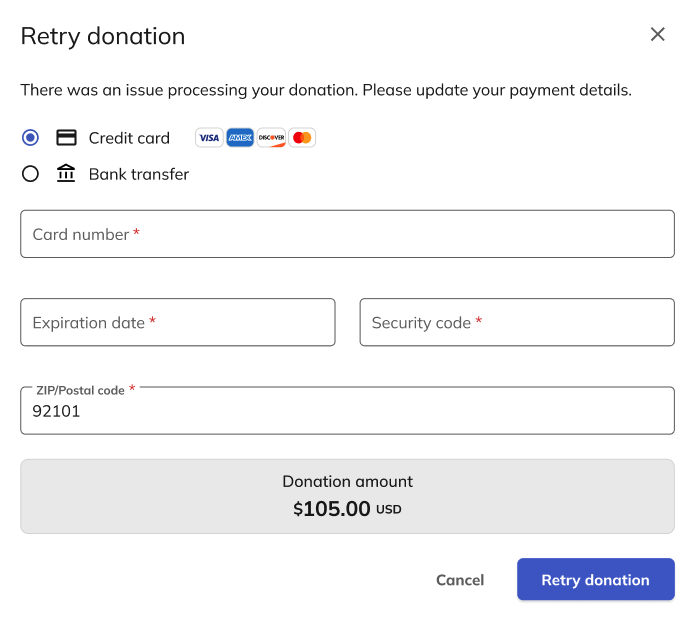
When you miss a recurring donation for any reason, you can update your payment details and retry the donation. To retry a missed recurring donation, go to your donation and select Retry. Once you update your payment details, select Retry donation to process your recurring donation.
Cancel a recurring donation
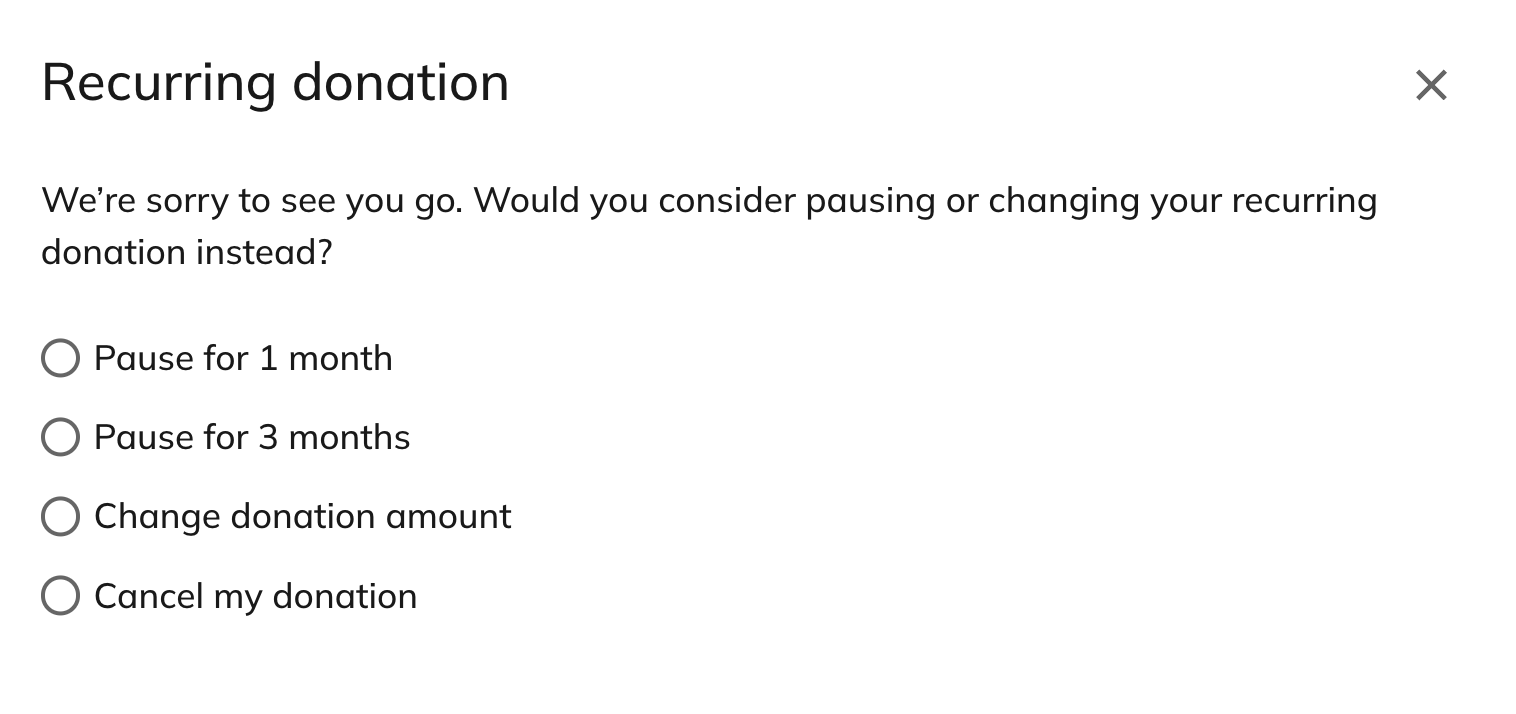
If you wish, you can cancel your recurring donation. Simply go to your recurring donation and select Cancel donation. You’ll also have the option to pause your monthly donation for up to three months instead.
Manage fundraising pages and teams
If you have any fundraising pages or teams with that organization, you can find them under Fundraising. Select View or Manage to visit or edit these pages.
Learn more about managing your fundraising page or team.
Update contact information
To update your contact information, select Settings in the menu. Then, select the pencil icon to change your name, email address, phone number, and address.
FAQ
How do I log in?
There are several ways to log in to GoFundMe Pro. If you're the administrator of a GoFundMe Pro account for a nonprofit organization, you'll likely log in through the GoFundMe Pro homepage.
If you're a supporter of an organization, you'll have multiple options for logging in. You can log in through:
- Your individual fundraising page, team page, or campaign landing page
- Email prompts from donation receipts, recurring donations, or fundraising page notifications
Why do I need a login?
If you're a supporter of an organization, your account gives you access to your donation history. It also gives you access to any fundraising pages and recurring donations you've set up with organizations that use GoFundMe Pro.
How do I reset my password?
If you forget your password, you can easily reset it by selecting Forgot Password? on the login page. If you have a GoFundMe Pro account, we'll email you a password reset code. Learn more about password reset.
The page is not loading. What should I do?
If you are using Safari as your web browser, you may need to disable cross-site tracking. To do so, follow these instructions. If you are using another browser, you may need to clear your cache.
Does GoFundMe Pro have any fundraising advice?
We do! Check out our Fundraising Tip sheet.
We also recommend reaching out to the organizations you support. They're the experts when it comes to the causes you love, and staying engaged with them is a great way to gain advice.
Should I ask GoFundMe Pro or the nonprofit for help with my account?
For the most part, the best bet is to contact the nonprofit organization you support. They can help update any monthly recurring donations, share information about their events, share fundraising tips, and more.
If you have any questions about navigating the Supporter Dashboard or your GoFundMe Pro account, the GoFundMe Pro team would be happy to help. Reach us here on our contact page.
Is there an age requirement for a GoFundMe Pro account?
You must be at least 18 years old to create an account and make a donation through GoFundMe Pro.
How can I fix an incorrect email address?
If your email is entered incorrectly, please contact our Care Team so that your information can be updated.
Is there a session time limit?
GoFundMe Pro will automatically log you out after 8 hours of inactivity.